
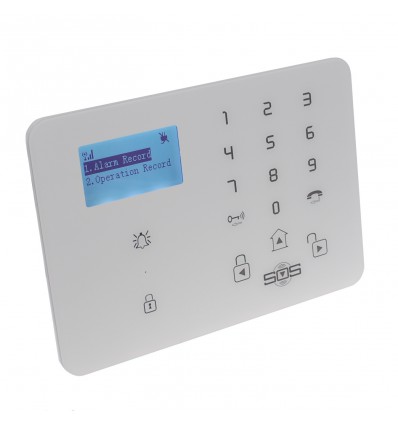
KP9 3G or GSM alarm panel (burglar, panic, flood alarms).
Reference: 005-4000-00
Technical Support & Advice for our KP9 3G or GSM Wireless Alarm Panel, can be used as a Burglar, Panic, Flood Alarm using up to 95 Wireless Detectors.
185,50 € inc. VAT
Order now and we will send it as soon as it is back in stock.
This item cannot be ordered at the moment. Ask us and we will tell you when it is back or suggest an alternative.
Ask about availabilityQuantity discounts
| Quantity | Unit price | You save |
|---|---|---|
- Free delivery from €150 Tracked by DHL, 3–5 working days
- Free returns within 30 days Money-back guarantee
- Secure payment PayPal & credit card
Not sure it's the right kit for your need?
Free advice from our security specialists: we help you choose, set up and install.
Ask about this product
Description
Technical Support & Advice for our KP9 3G or GSM Wireless Alarm Panel.
Our flexible 95 x Zone KP9 3G or GSM Wireless Alarm Control Panel that can also be used in many ways including:
- Wireless Burglar & Intruder Alarm System.
- Wireless Floor Alarm.
- Wireless Panic Alarms.
This control panel has many features allowing you to use it in so many different ways, some key features listed below:
- 95 x Wireless Zones (channels).
- Contacts up to 9 x Key-holders by Telephone & Text Message (optional).
- Built in Siren (adjustable duration from 1 to 999 seconds).
- Simple Plug in Power Supply with Back up Battery.
- Transformer Rating: 12v DC 1 amp.
- Can be used with 2 x Wireless Sirens (Standard & H/Duty).
- Easy to Program (using the built in keypad and LCD Screen or APP).
- Easy to Operate using:
- Remote Control.
- Built in Keypad.
- Built in Timer.
- Text Message.
- APP.
- Many Modes of Operation including:
- Full Arm.
- Home Arm.
- Entrance.
- On Site.
- Outer.
- Inner.
- 24 Hour (with Siren).
- 24 Hour (silent).
- Not in Use.
- Doorbell.
- 2 x Wired Input Zones.
- Built in Power Failure (optional).
- Built in Temperature (optional).
- 2 x way Communication.
- Log (history) Logging.
- Low Battery Warning (of accessories).
- 12 Language Menu (including English, French, German, Italian, Dutch & Spanish).
Communication:
When the KP9 GSM Panel calls key-holders by Telephone, the key-holders have the option to:
- Press * on their Telephone (this will stop the alarm calling other key-holders but remain fully armed.
- Press # on their Telephone (this will stop the alarm calling other key-holders but will disarm the panel.
3G or GSM:
You can select above (just above add to cart button) the latest 3G Control Panel or the default GSM Panel, both panels will operate Telephone & SMS functions in Countries where 2G is still operational (most of Europe), if in doubt please ask us for advice.
APP Options for customers with iOS & Android:
Specifications
- 95 Wireless Channels
- Contacts up to 9 x Key-holders by Telephone & Text Message (optional)
- Built in Siren (adjustable duration from 1 to 999 seconds)
- Power supply
- 3-pin Plug in Transformer (2-pin available upon request)
- Transformer rating
- 12v DC 1 amp (max 24v)
- Back up battery
- Yes
- Easy to Program (using the built in keypad and LCD Screen or APP)
- Easy to operate using
- Remote Control
- Built in Keypad
- Built in Timer
- Text Message
- APP
- Many modes of operation including
- Full Arm
- Home Arm
- Entrance
- On Site
- Outer
- Inner
- 24 Hour (with Siren)
- 24 Hour (silent)
- Not in Use
- Doorbell
- 2 x Wired Input Zones
- Built in Power Failure (adjustable 0 - 99 minutes)
- Built in Temperature (optional)
- Optional Wireless External Sirens
- 2 x way Communication
- Log (history) Logging
- Low Battery Warning (of accessories)
- 12 Language Menu (including English, French, German, Italian, Dutch & Spanish)
- Size
- 190 (W) x 130 (H) x 25 (D) mm
- GSM frequency
- Quad-band 850/900/1800/1900 Mhz
- 3G
- Yes (if selected)
- Wireless accessories frequency
- 433.92 Mhz
- Digital output
- N/O or N/C Dry Contacts (3A/240 AC)
- SIM card size
- Standard Size
- Built in temperature monitor
- Yes (-20 - + 60 C)
- Back up battery
- 3.7v-900mAH Li-ion Rechargeable
- Colour
- White
- Push buttons
- Touch
- Android app
- Yes
- iOS
- Yes
- Standby current
- 30 m/A
Videos
-
KP9 GSM Alarm Panel - How to pair a Sensor
Questions and answers
How many Wireless Detectors can I use with this Alarm?
How do pair (learn) a Sensor into the Alarm?
I have fitted a SIM Card, and the Alarm will not Call or Text ?
I have replaced my SIM Card, and the Alarm will now not Call or Text ?
How do I Enter programming mode ?
- Press Enter (telephone symbol).
- Scroll Down to show Setup on the digital display (down button also labelled SOS).
- Enter Password (default password in manual) plus Enter.
- Use Up & Down Button plus Enter Button to navigate.
The Internal Siren is not operating ?
How to Arm & Disarm the Alarm ?
- Remote Control.
- Built in Keypad.
- Built in Timer.
How to Arm the Alarm using the Built in Keypad ?
How to Disarm the Alarm using the Built in Keypad ?
How to Arm the Alarm using the Remote Control ?
How to Disarm the Alarm using the Remote Control ?
I think I am getting False Alarms on the Panel?
What could make my Alarm Panel give False Alarms ?
- Low Battery on a Sensor.
- Button Stuck in on a Remote Control or Panic Button.
- Rear Tamper Switch on the Panel is activating due to the Installation (this can be turned off within the panel settings).
- A PIR placed above a Heat Source or facing a Window which is subject to sudden bright Sunlight.
- A Sensor programmed into the wrong type of Alarm settings.
Can I individually name the zones on the Alarm display and Text message sent to the key-holder ?
How do I name the different zones on the Alarm by using Text message ?
- You want to change the name of wireless zone 6 from its default name "Entrance Alarm!" to "Room 1 Panic Button" you will need to send a SMS command:
- 1234 (Default Password).
- B (Edit Zone Name Code), this must be in Capital Format.
- 06 (Wireless Zone 6, please note 2 digits).
- #
- Room 1 Panic Button (new required name for zone 6, maximum of 40 characters).
- # (last command).
- So exact example sent would be 1234B06#Room 1 Panic Button#
- You should then receive a message back "Room 1 Panic Button" (this confirms the changed).
How do I pair a Signal Repeater ?
How do pair a Signal Repeater to a Detector ?
How do I know the Signal Repeater has been paired in following the above ?
Can we use more than one Repeater ?
How do I know the Signal Repeater has been paired in following the above ?
Where would you recommend positioning the Signal Repeater ?
The Alarm Panel beeped occasionally whilst it was in the disarmed state ?
- Check a Button on a Remote Control is not stuck in (fully or partially).
- Ensure the SIM Card is fitted into the SIM Card holder firmly and cleanly.
Manuals and downloads
Compatible accessories
-
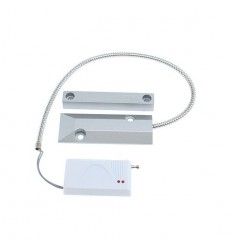 Roller shutter door contact for the KP wireless GSM alarms.
45,50 €
Roller shutter door contact for the KP wireless GSM alarms.
45,50 €
-
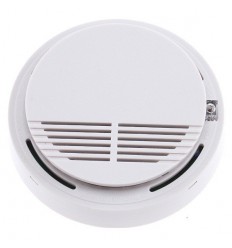 Smoke detector for the KP wireless GSM alarms.
52,50 €
Smoke detector for the KP wireless GSM alarms.
52,50 €
-
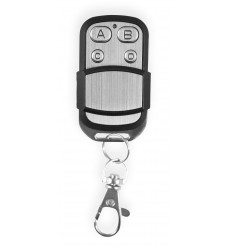 Remote control for the KP wireless GSM alarms.
28,00 €
Remote control for the KP wireless GSM alarms.
28,00 €
-
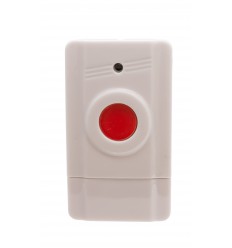 Panic button for the KP wireless GSM alarms.
23,34 €
Panic button for the KP wireless GSM alarms.
23,34 €
-
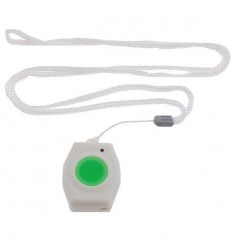 Necklace panic button for the KP wireless GSM alarms.
28,00 €
Necklace panic button for the KP wireless GSM alarms.
28,00 €
-
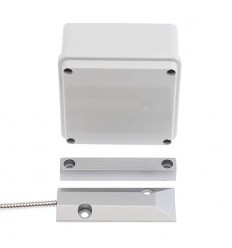 Gate contact kit for the KP wireless GSM alarms.
98,00 €
Gate contact kit for the KP wireless GSM alarms.
98,00 €
-
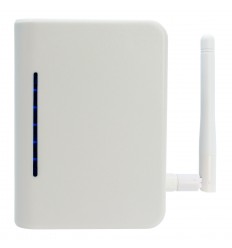 Signal repeater for the KP wireless GSM alarms.
93,34 €
Signal repeater for the KP wireless GSM alarms.
93,34 €
-
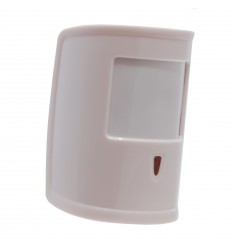 Pet friendly KP wireless PIR
57,16 €
Pet friendly KP wireless PIR
57,16 €
-
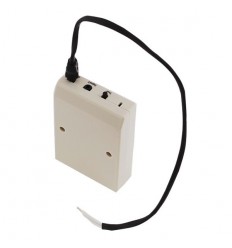 Universal transmitter for the KP wireless GSM alarms.
28,00 €
Universal transmitter for the KP wireless GSM alarms.
28,00 €
-
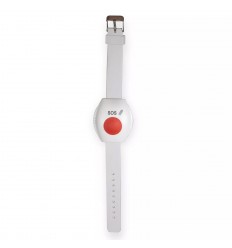 Wristband panic button for the KP wireless GSM alarms.
25,66 €
Wristband panic button for the KP wireless GSM alarms.
25,66 €
-
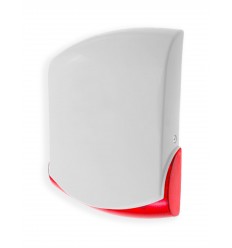 KP heavy duty wireless siren & strobe
150,50 €
KP heavy duty wireless siren & strobe
150,50 €
185,50 € inc. VAT